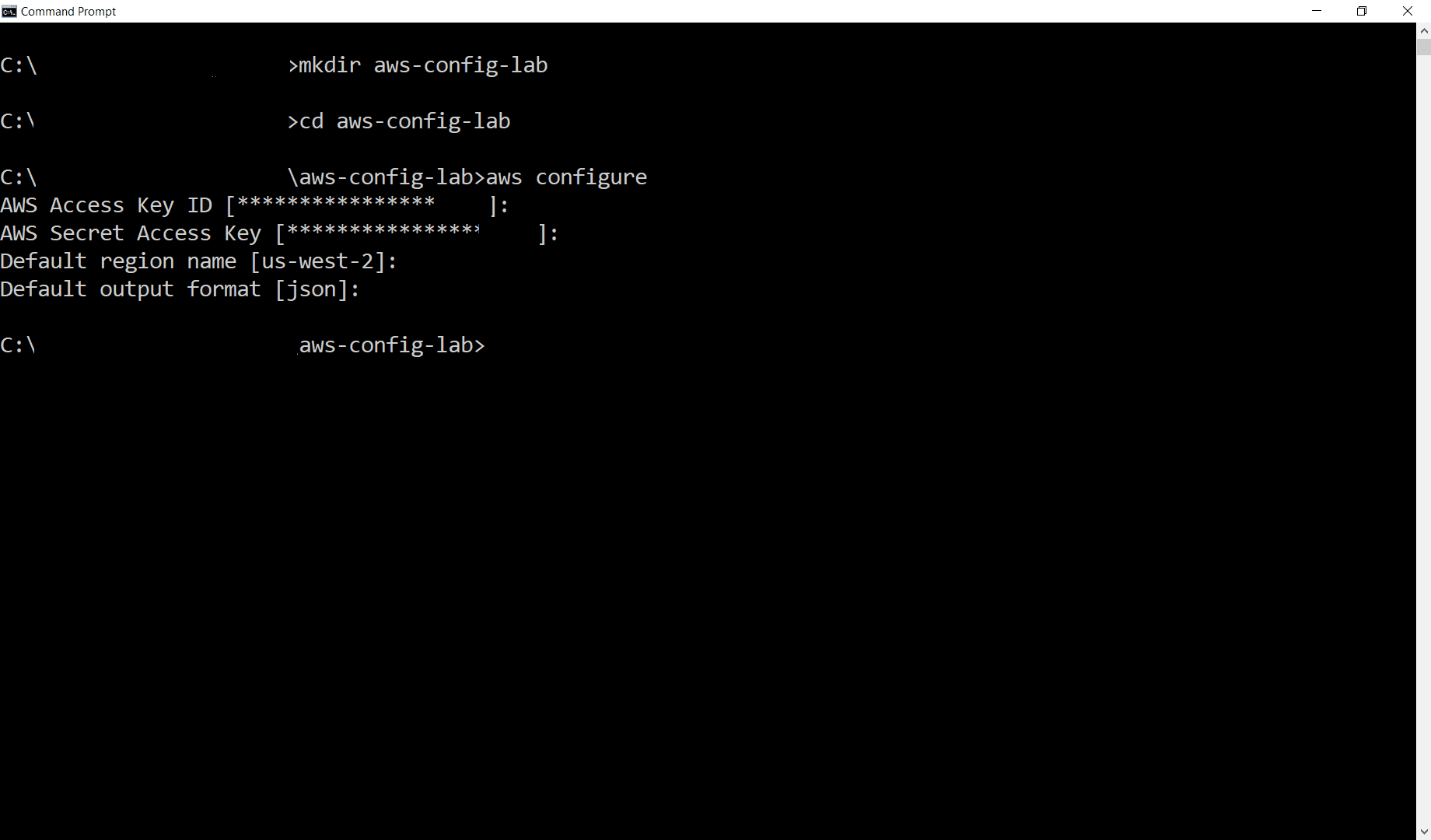
Open Terminal on your own device, with AWS CLI v2 installed. Execute these commands:
mkdir aws-config-lab: create a new foler.cd aws-config-lab: change directory toaws-config-lab.- type
aws configure: config your aws cli with your access and secret key (you can create one if you haven't had yet inIAM Users).
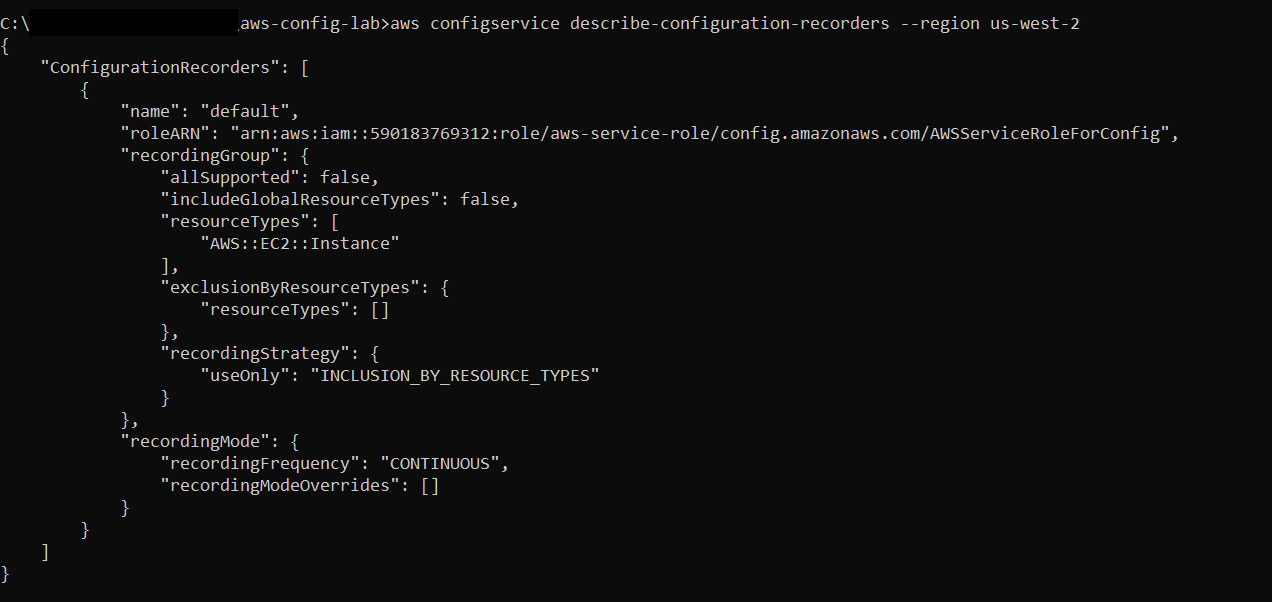
To verify that your configuration recorder has the settings that you want:
aws configservice describe-configuration-recorders --region YOUR-REGION-CODE
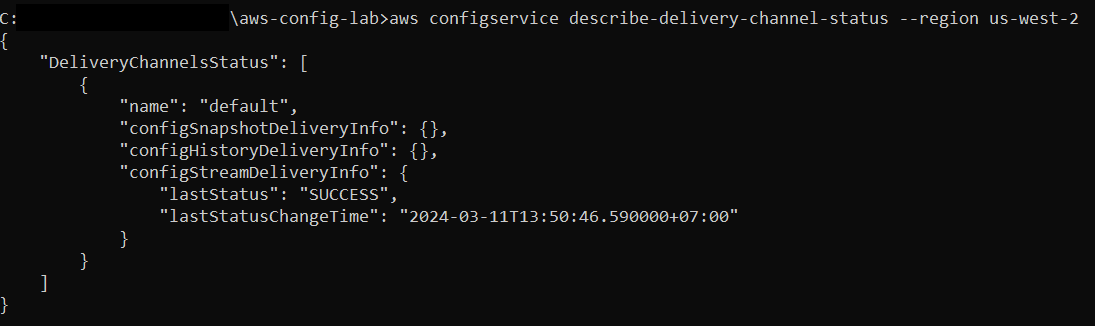
Check File delivery status. Mind the configHistoryDeliveryInfo (Enabled when you set up the configuration recorder.) & configSnapshotDeliveryInfo
aws configservice describe-delivery-channel-status --region YOUR-REGION-CODE
We will use AWS CLI put-delivery-channel to enable configuration snapshot.
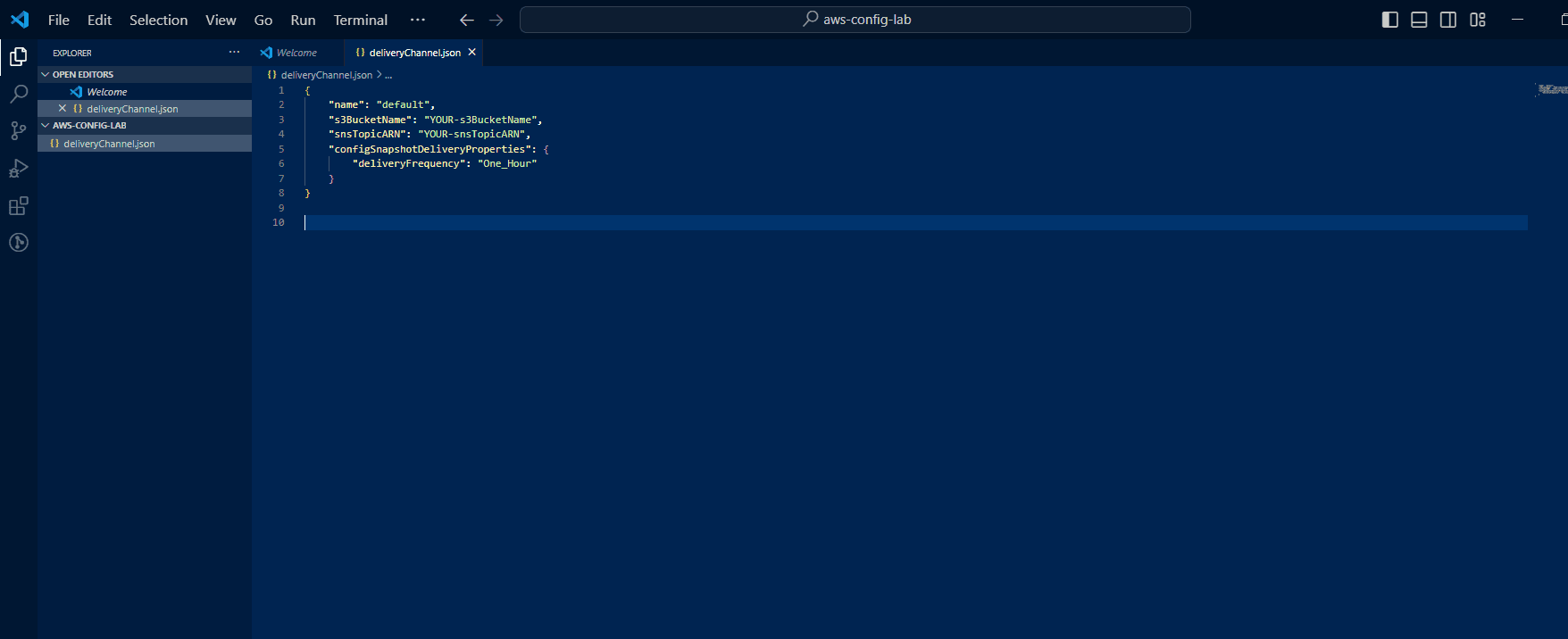
First, create “skeleton” file deliveryChannel.json . Here we configure the frequency 1 hour
Note: Please create the file deliveryChannel.json in the aws-config-lab folder


{
    "name": "default",
    "s3BucketName": "YOUR-S3-BUCKET-NAME",
    "snsTopicARN": "YOUR-SNS-TOPIC-ARN",
    "configSnapshotDeliveryProperties": {
        "deliveryFrequency": "One_Hour"
    }
}
You can follow these steps to copy your BucketName and snsTopicARN
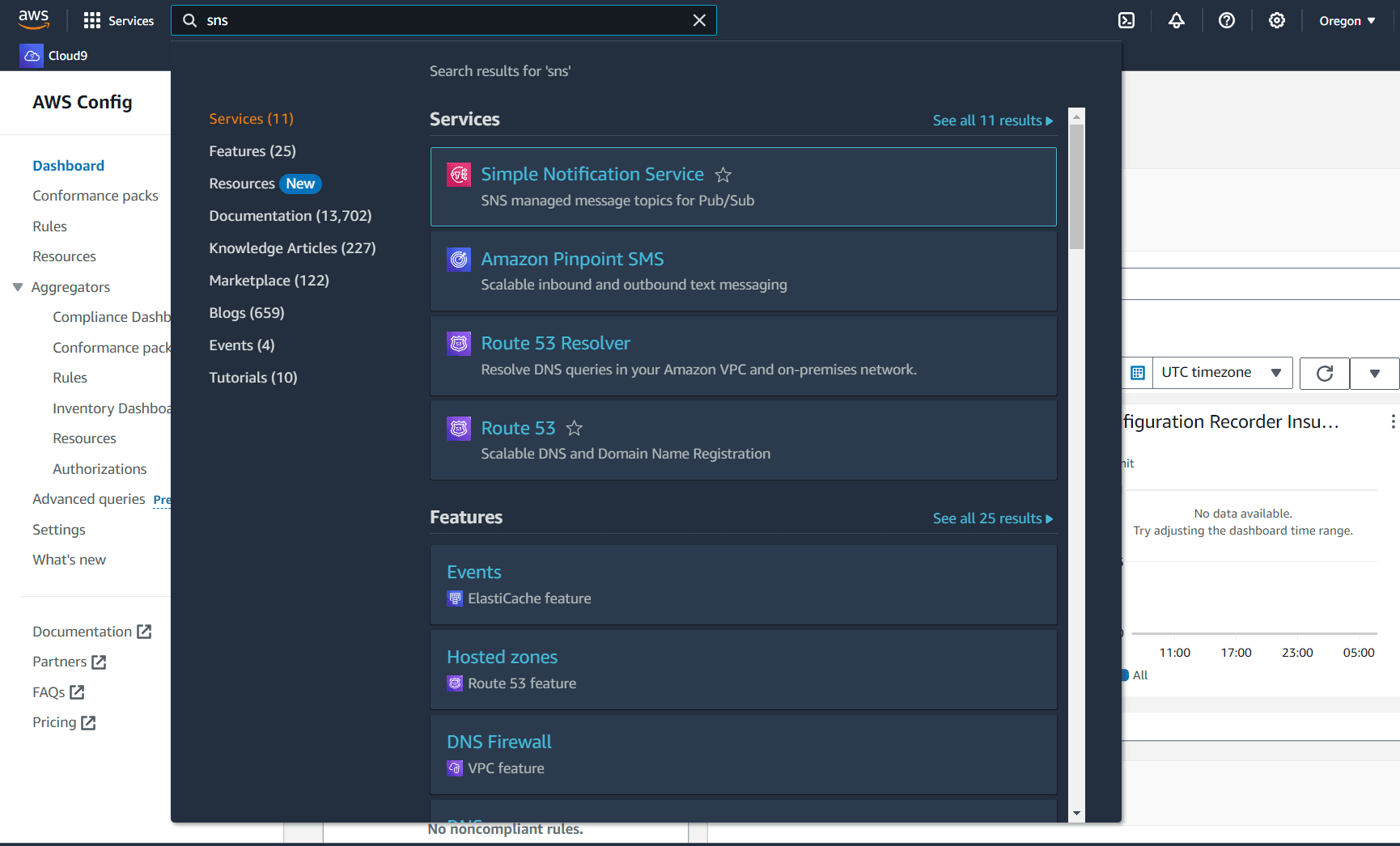
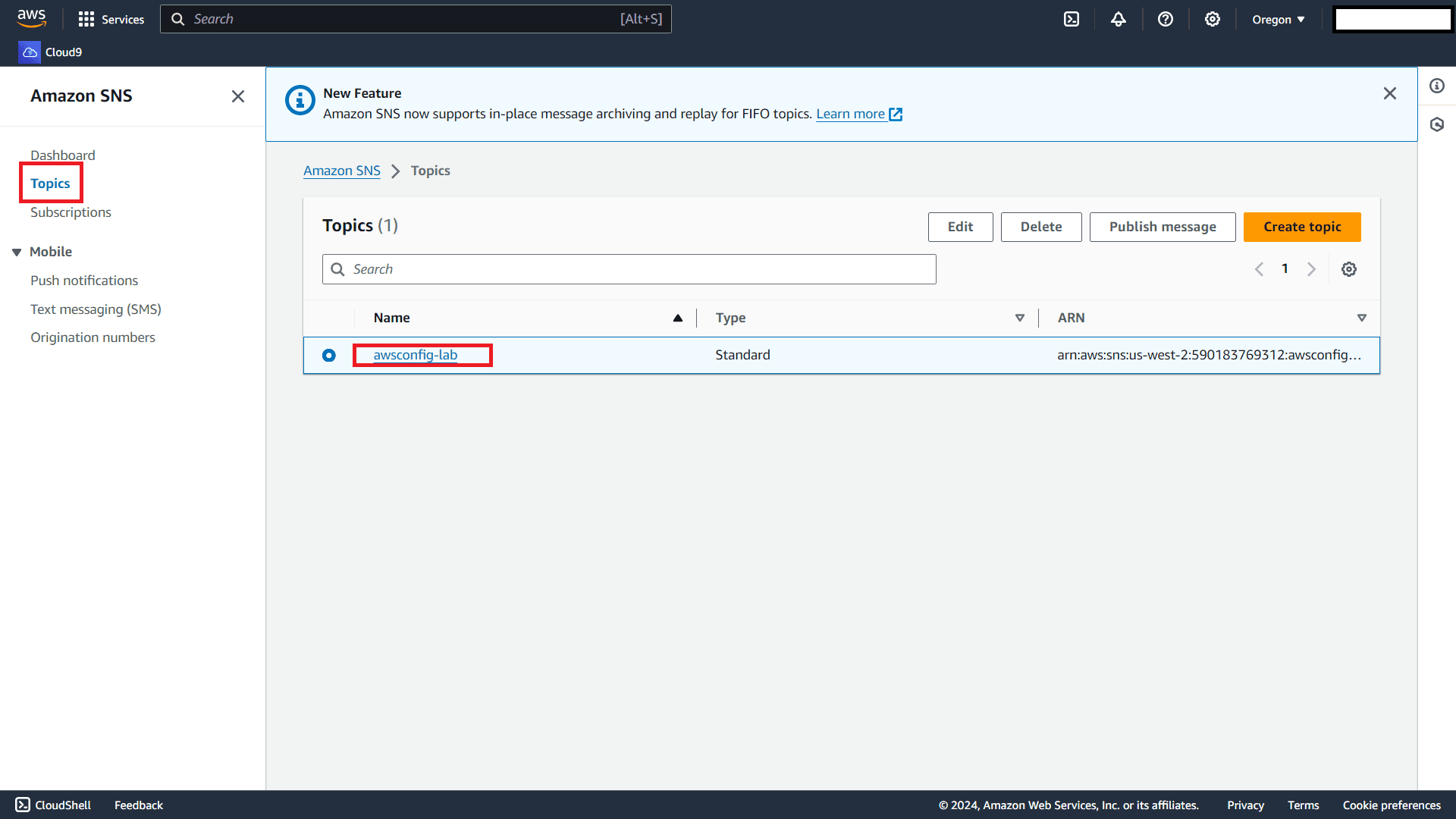
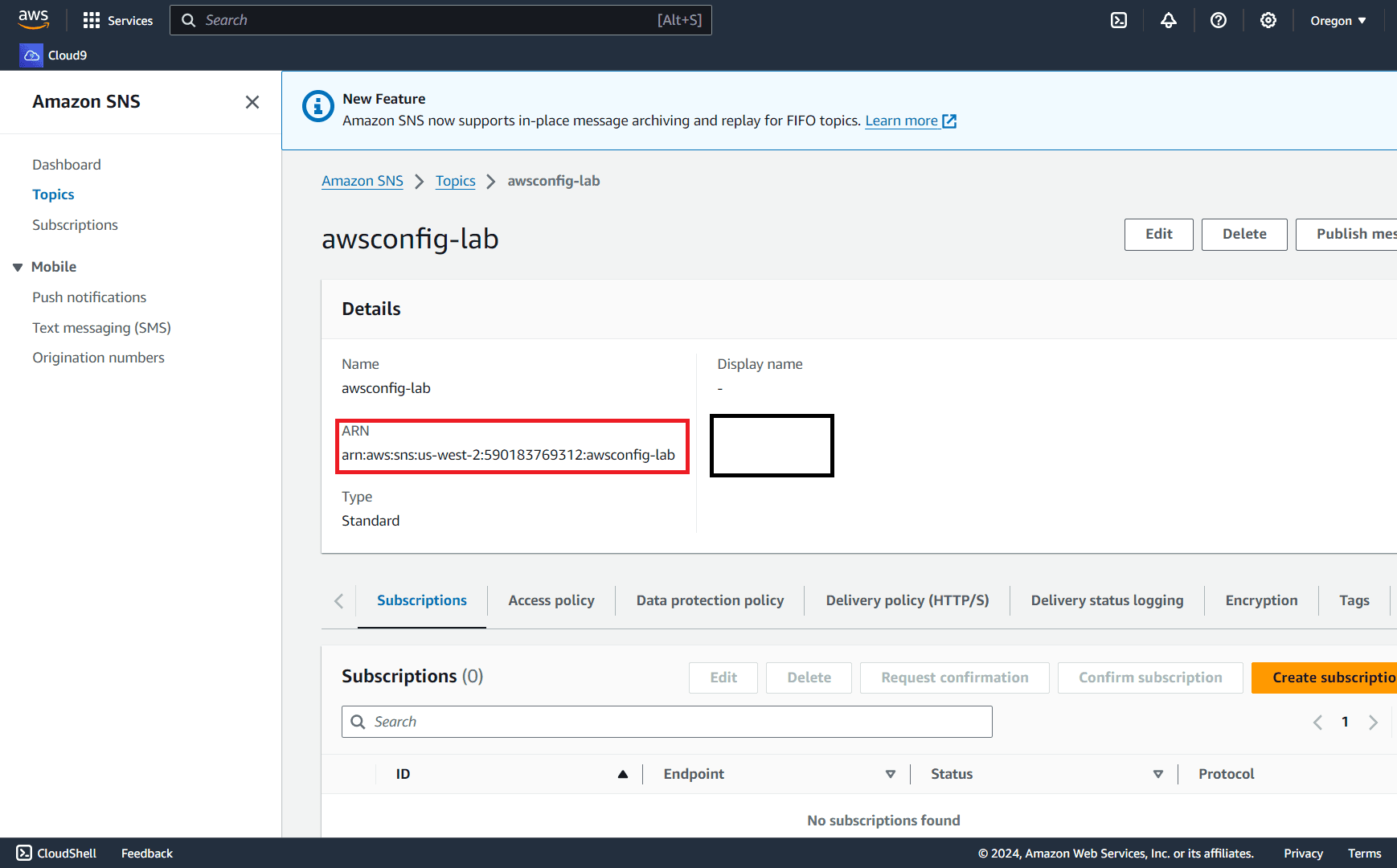
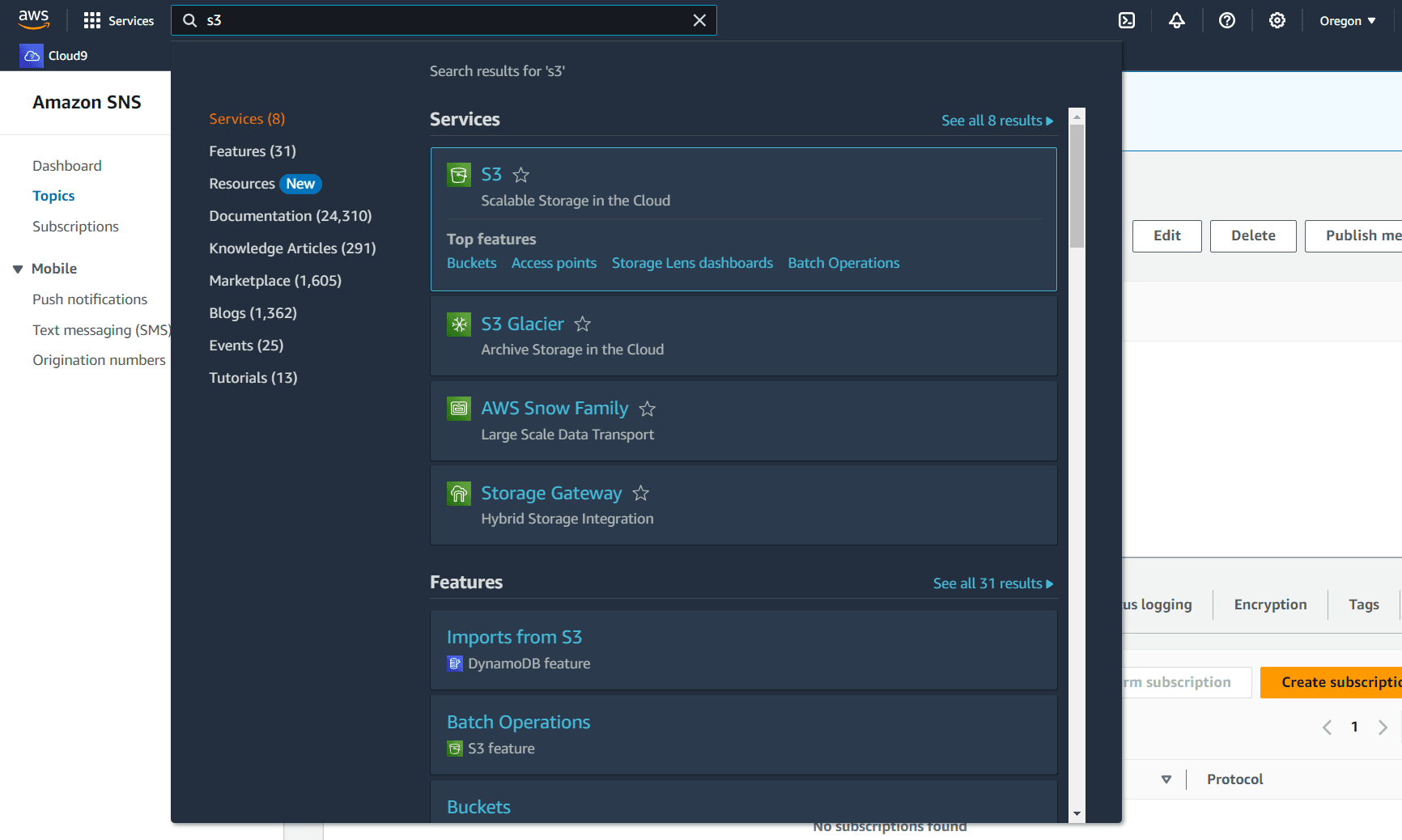
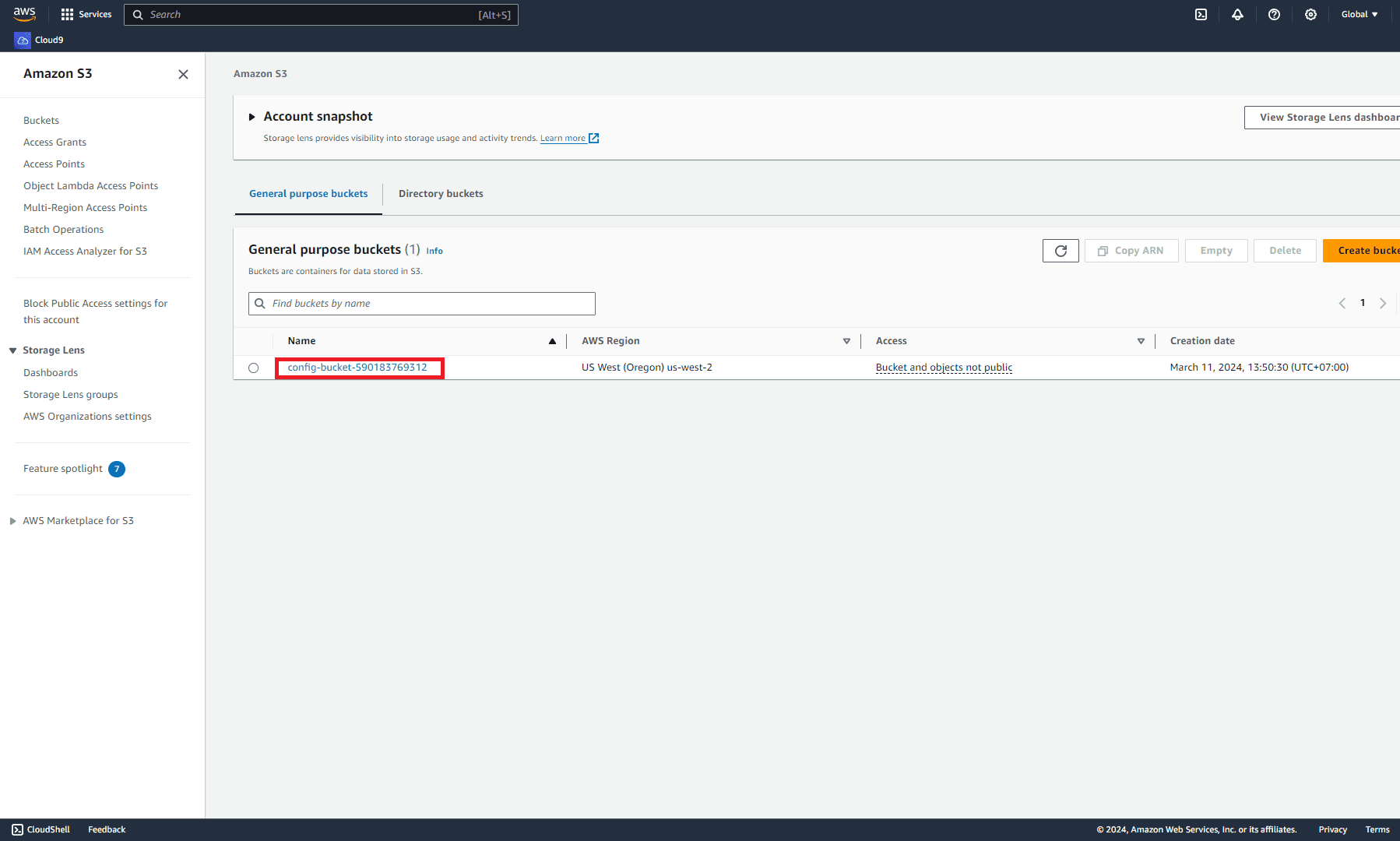
Note: Remember to save the file before execute the next command line.
Now, open your terminal again and execute the command put-delivery-channel. A successul command results in nothing
aws configservice put-delivery-channel --delivery-channel file://deliveryChannel.json --region YOUR-REGION-CODE

To view the configuration of channel, execute:
aws configservice describe-delivery-channels --region YOUR-REGION-CODE
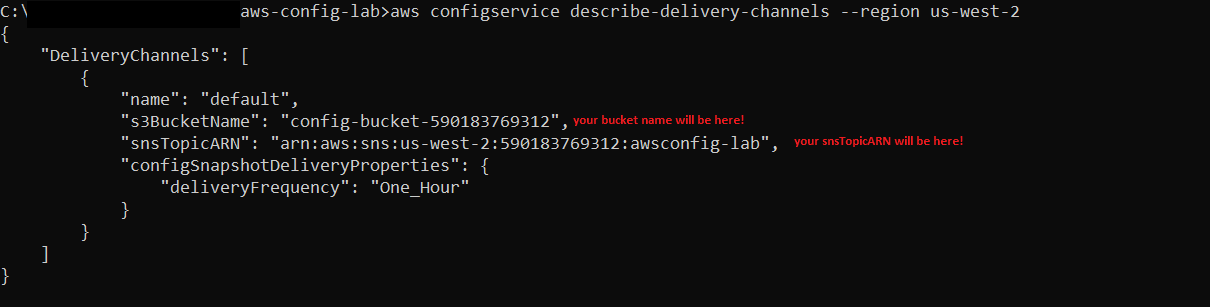
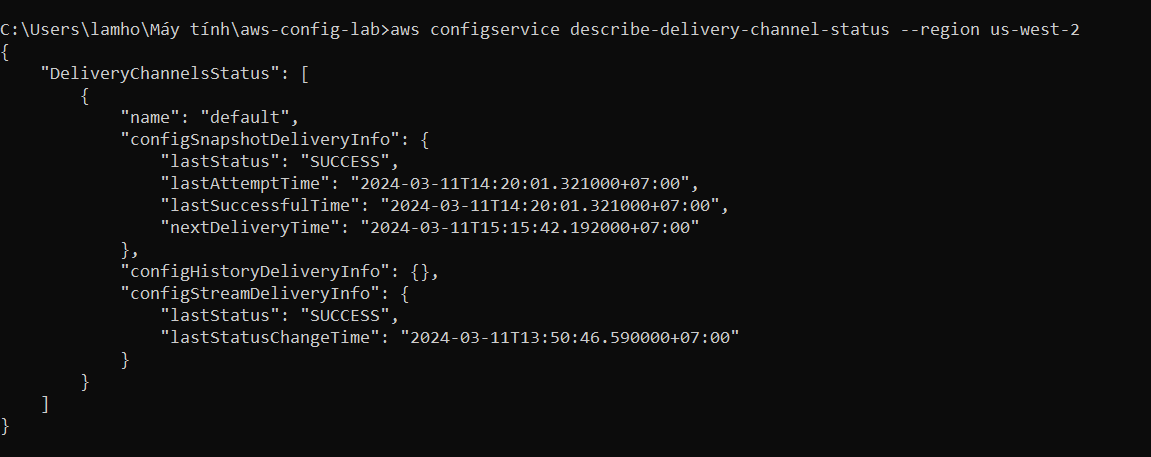
Again, describe-delivery-channel-status will see new thing of configSnapshotDeliveryInfo
aws configservice describe-delivery-channel-status --region YOUR-REGION-CODE
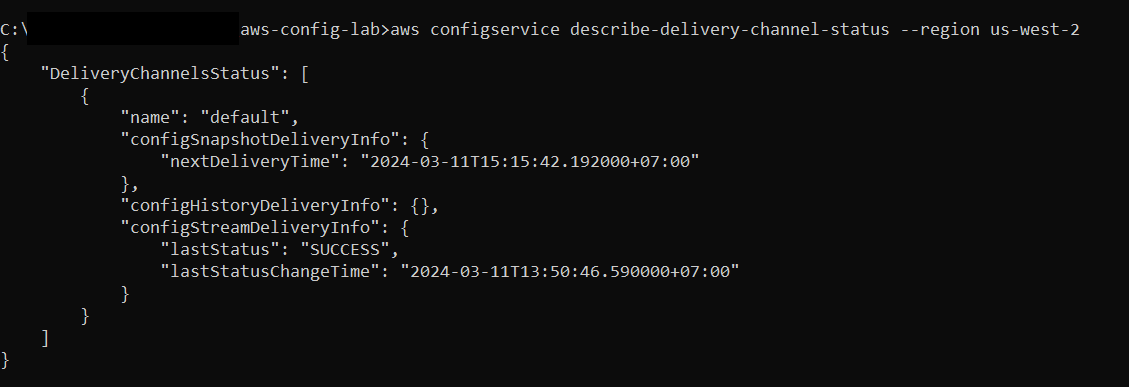
If we want to configure Config-Snapshot on-demand instead of waiting for next period of update, use AWS CLI deliver-config-snapshot
aws configservice deliver-config-snapshot --delivery-channel-name default --region YOUR-REGION-CODE

Verify again by CLI, as well as check new object on S3 bucket
aws configservice describe-delivery-channel-status --region YOUR-REGION-CODE